Tutorial 02 · Beginner
Build and Deploy a Personal Profile Site — Private First
Turn a privacy-safe profile brief into a reviewed Site, deploy it for yourself first, and make a separate decision about public sharing.
You will build
A reviewed personal profile Site deployed owner-only, with an optional public URL
You will strengthen
Turning a brief into clear instructions, reviewing AI-created work, and separating build, saved version, deployment, and audience decisions
Learning map
Tools and capabilities
Tools
Capabilities
Before you begin
What you need
- Access to Codex in the ChatGPT desktop app
- Sites availability for your plan, region, and workspace settings
- A professional link you are comfortable sharing
See the system
A visual guide before you begin
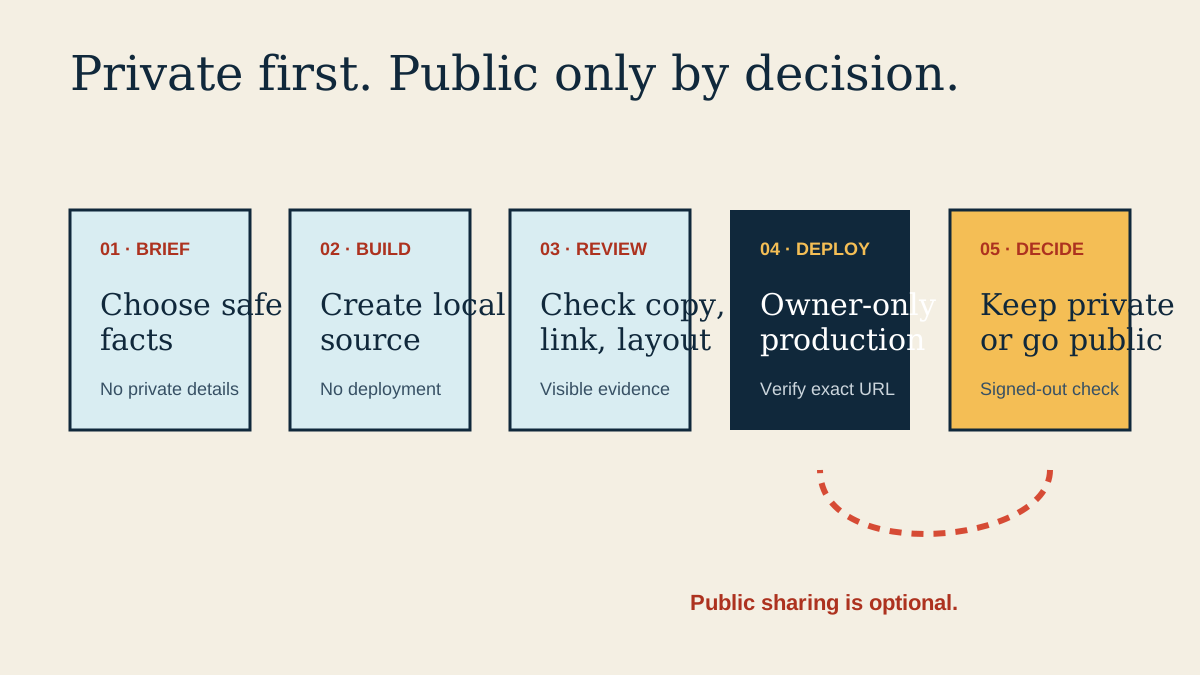
Swipe or scroll to read the full diagram.
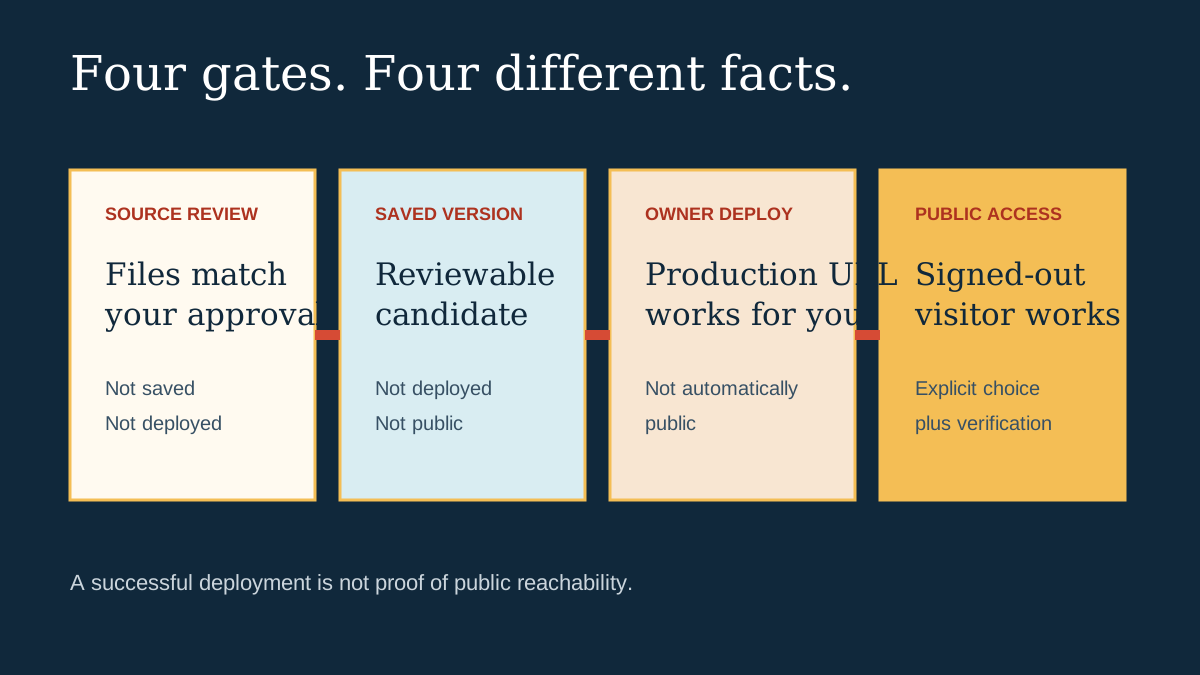
Swipe or scroll to read the full diagram.
Practice assets
Download what you need
Step-one preview
Write a privacy-safe profile brief
Objective
Decide what the page should communicate without exposing information you do not intend to publish.
Visible result
You have a short profile brief containing only accurate information you intentionally chose to share.
Completion check
I reviewed every fact and intentionally chose what this profile may show.