Tutorial 01 · Beginner
Build a Project That Remembers
Create a durable bridge between a ChatGPT Project and your local Codex work so useful context survives beyond a single conversation.
You will build
A working project memory system you can reuse
You will strengthen
Organizing context, separating facts from decisions, and learning from prior work
Learning map
Tools and capabilities
Tools
Capabilities
Before you begin
What you need
- A ChatGPT account
- The ChatGPT desktop app with Codex available
- One real project idea
See the system
A visual guide before you begin
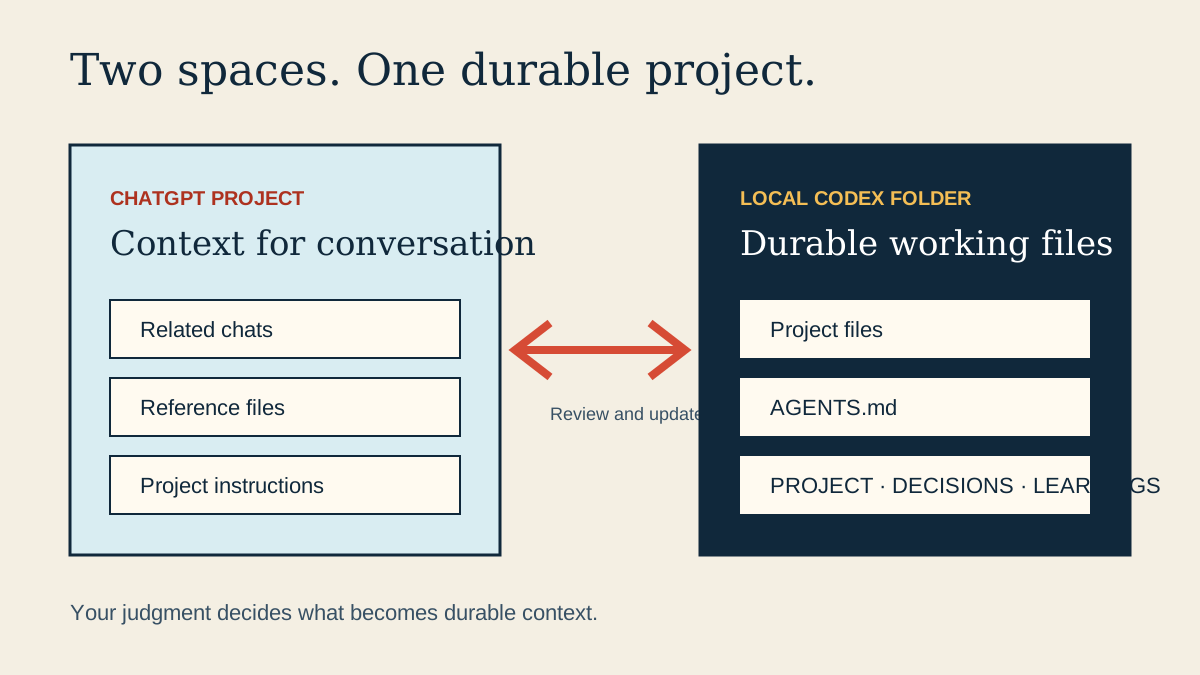
Swipe or scroll to read the full diagram.
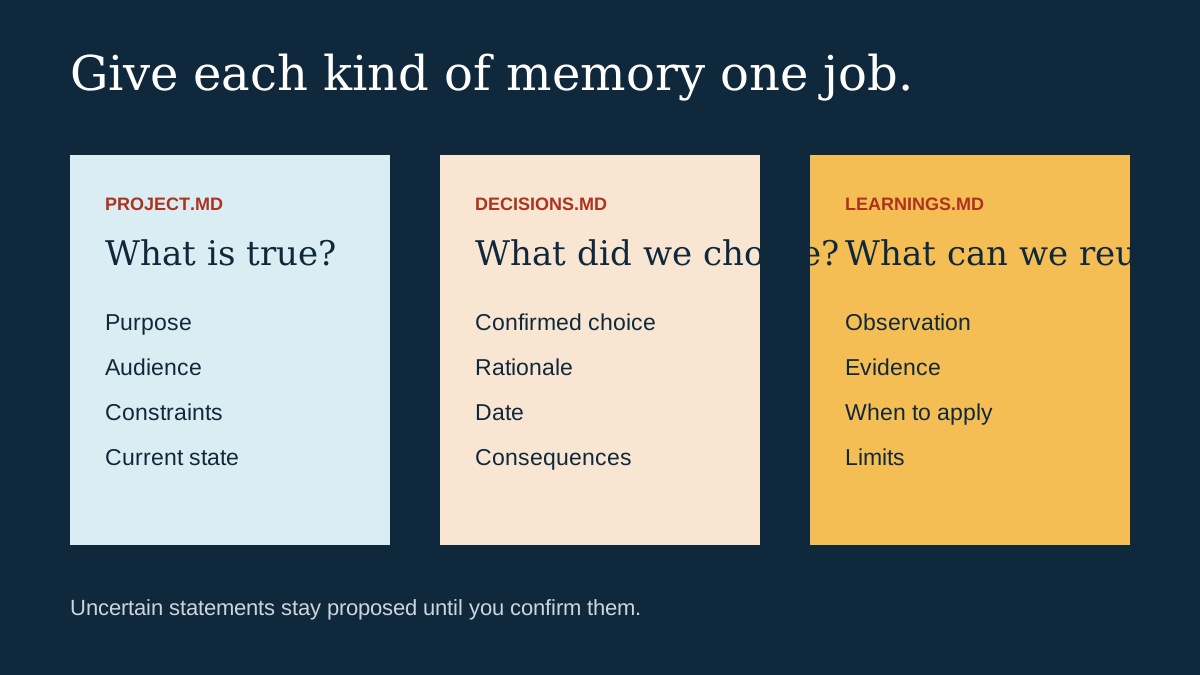
Swipe or scroll to read the full diagram.
Practice assets
Download what you need
Step-one preview
Understand the two connected spaces
Objective
Know what belongs in your ChatGPT Project and what belongs in the local Codex project.
Visible result
You can name the project and explain why it needs continuity.
Completion check
I chose a real project and understand the role of both spaces.